
Learn how to use File Doctor to fix company file issues in QuickBooks Desktop.
If you can't open your company file, QuickBooks File Doctor can help. Use it when you see:
- Error -6150, -6000 -82, -6000 -305, -6000 -301, -6147, or -6130.
- Missing or blank customer, vendor, or employee lists.
Step 1: Download and install QuickBooks Tool Hub
The QuickBooks Tool Hub helps fix common errors. You'll need to close QuickBooks to use the tool hub. For the best experience, we recommend you use Tool Hub on Windows 10, 64-bit.
- Close QuickBooks.
- Download the most recent version (1.6.0.3) of the QuickBooks Tool Hub. Save the file somewhere you can easily find it (like your Downloads folder or your Windows desktop). Note: If you've installed Tool Hub before, you can find out which version you have. Select the Home tab. The version will be on the bottom.
- Open the file you downloaded (QuickBooksToolHub.exe).
- Follow the on-screen steps to install and agree to the terms and conditions.
- When the install finishes, double-click the icon on your Windows desktop to open the tool hub.

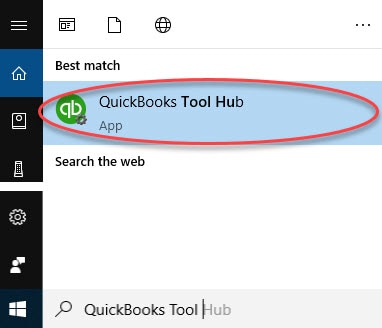
Note: If you can't find the icon, do a search in Windows for QuickBooks Tool Hub and select the program.
Step 2: Run Quick Fix my File
- From the tool hub, select Company File Issues.
- Select Quick Fix my File.
- Select OK when it completes and launch your QuickBooks.
Step 3: Run QuickBooks File Doctor
- From the tool hub, select Company File Issues.
- Select Run QuickBooks File Doctor. It can take up to one minute for the file doctor to open.
Note: If the QuickBooks File Doctor doesn't open, search for QuickBooks Desktop File Doc and open it manually. - In QuickBooks File Doctor, select your company file from the drop-down menu. If you don’t see your file, select Browse and search to find your file.
- Select Check your file (middle option only) and then Continue.
- Enter your QuickBooks admin password and then select Next.
The scan time depends on your file size and can take up to 10–15 minutes. The scan may say it was unsuccessful even if it fixes your issue. Once the scan finishes, open QuickBooks, and your company file.
If the QuickBooks File Doctor doesn’t fix your issue, you’ll need to Fix data damage on your QuickBooks Desktop company file.